Technical Writing Project • Sarah Amalia
Bored API Documentation
Find random activities to fight your boredom. You can access the API from their official website at: The App Brewery
Get Started with the Bored API
This guide will walk you through the simplest way to get a random activity from the Bored API. You will made your first request and explore the rest of the API
Step 1: Get a Random Activity
This endpoint does not require any parameters. To make the request, simply copy the command below and paste it into your terminal.
GET `https://bored-api.appbrewery.com/random`
Step 2: Understand the Response
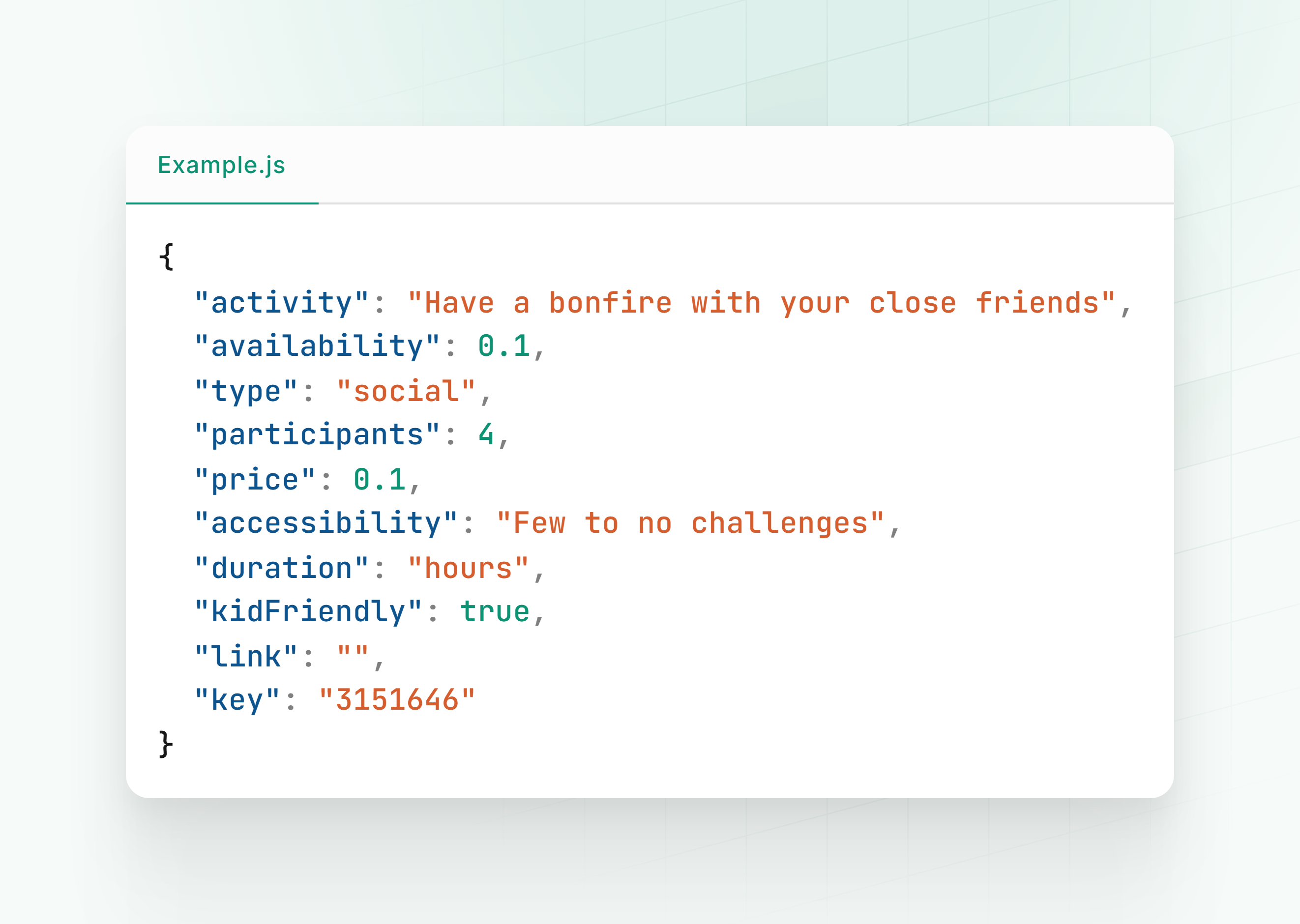
A succesful response will return a 200 OK status and a JSON object containing a random activity. The response will look similar to this:
Step 3: What’s Next?
Cngratulations! You’ve succesfully made your first API call and received a valid response.
Now, you can explore the other endpoints in the API References section below. This includes the ability to filter activities by type and participants.
API Reference
This section provides a complete and detailed reference for /random and /filter endpoints. This is the place to find specific information on request parameters, response fields, and examples.
Get a Random Activity
This endpoint returns a randomly selected activity from the available activities. It’s designed for applications that want to provide a quick, fun suggestion for you.
Request
GET https://bored-api.appbrewery.com/random
Parameters
This endpoint does not require any parameters.
Response Body
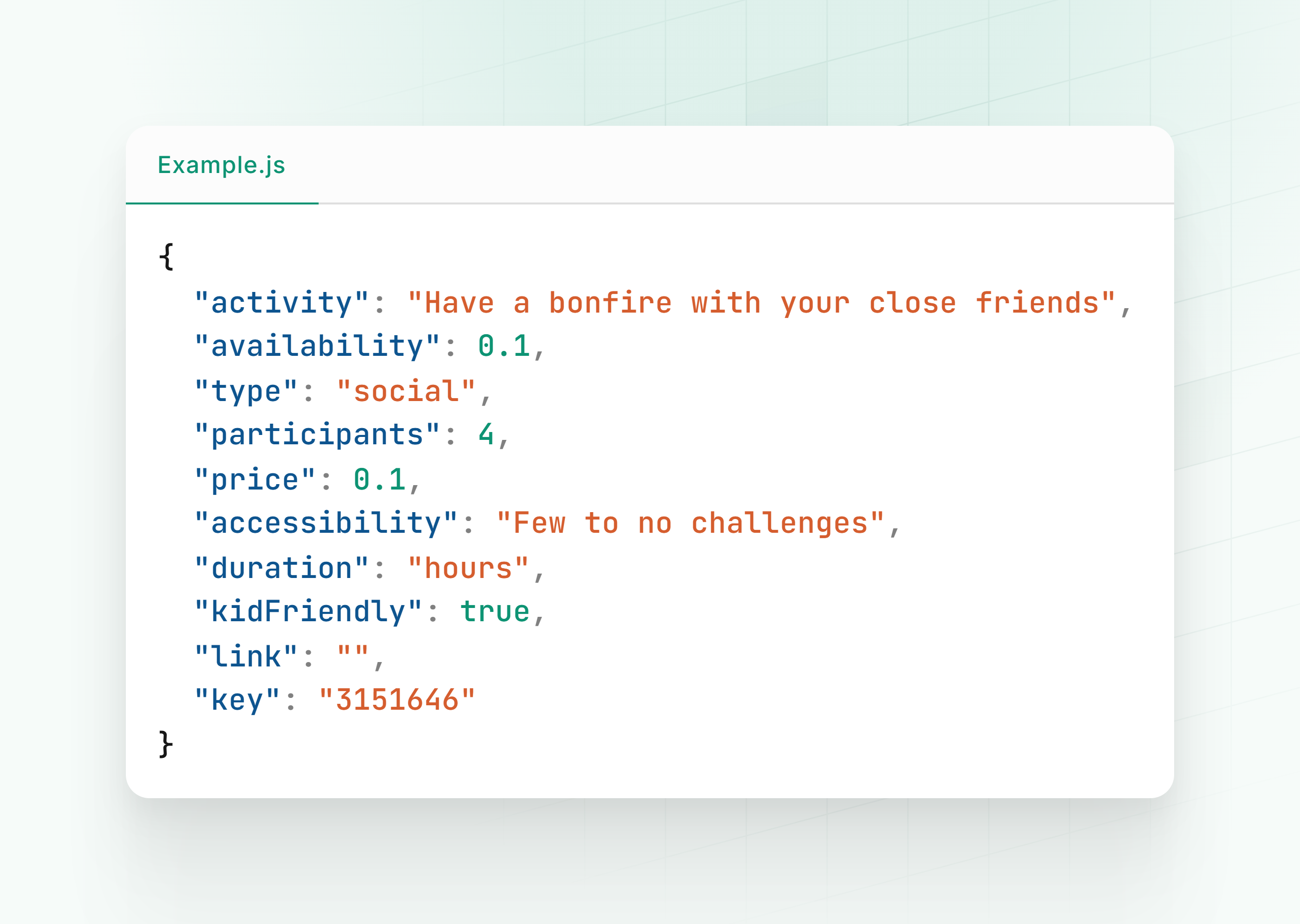
The response is a JSON object with the following fields:
| Field | Type | Description |
|---|---|---|
activity |
string | A string representing the suggested activity. |
availability |
number | A value between 0.0 and 1.0 that indicates how accessible the activity is. A value of 0.0 means it’s freely available, while 1.0 indicates a high barrier. |
type |
string | The category of the activity (e.g., “recreational,” “social,” “cooking”). |
participants |
number | The number of people required for the activity. |
price |
number | A numeric value between 0.0 and 1.0, where 0.0 is free and 1.0 is the most expensive. |
accessibility |
string | A clear-language description of the activity’s accessibility. |
duration |
string | The expected time required for the activity (e.g., “hours,” “minutes”). |
kidFriendly |
boolean | A boolean value (true or false) indicating if the activity is suitable for children. |
link |
string | A URL for more information, if available. |
key |
string | A unique identifier for the activity. |
Example Response
Filter Activites
This endpoint returns a list of activities that have been filtered by specific criteria, such as activity type or the number of participants. It is a powerful tool for building applications that require a more tailored and relevant user experience.
Request
GET https://bored-api.appbrewery.com/filter
Query Parameters
This endpoint accepts the following optional query parameters to refine the search results.
| Parameter | Type | Description | Accepted Values |
|---|---|---|---|
type |
string | The type of activity to filter by. You can only specify one type per request. | education, recreational, social, charity, cooking, relaxation, busywork |
participants |
number | The exact number of participants required for the activity. | 1, 2, 3, 4, 5, 6, 8 |
Example Request
The following cURL command retrieves activities for exactly one participant that are categorized as education.
GET 'https://bored-api.appbrewery.com/filter?type=education&participants=1'
Response Body
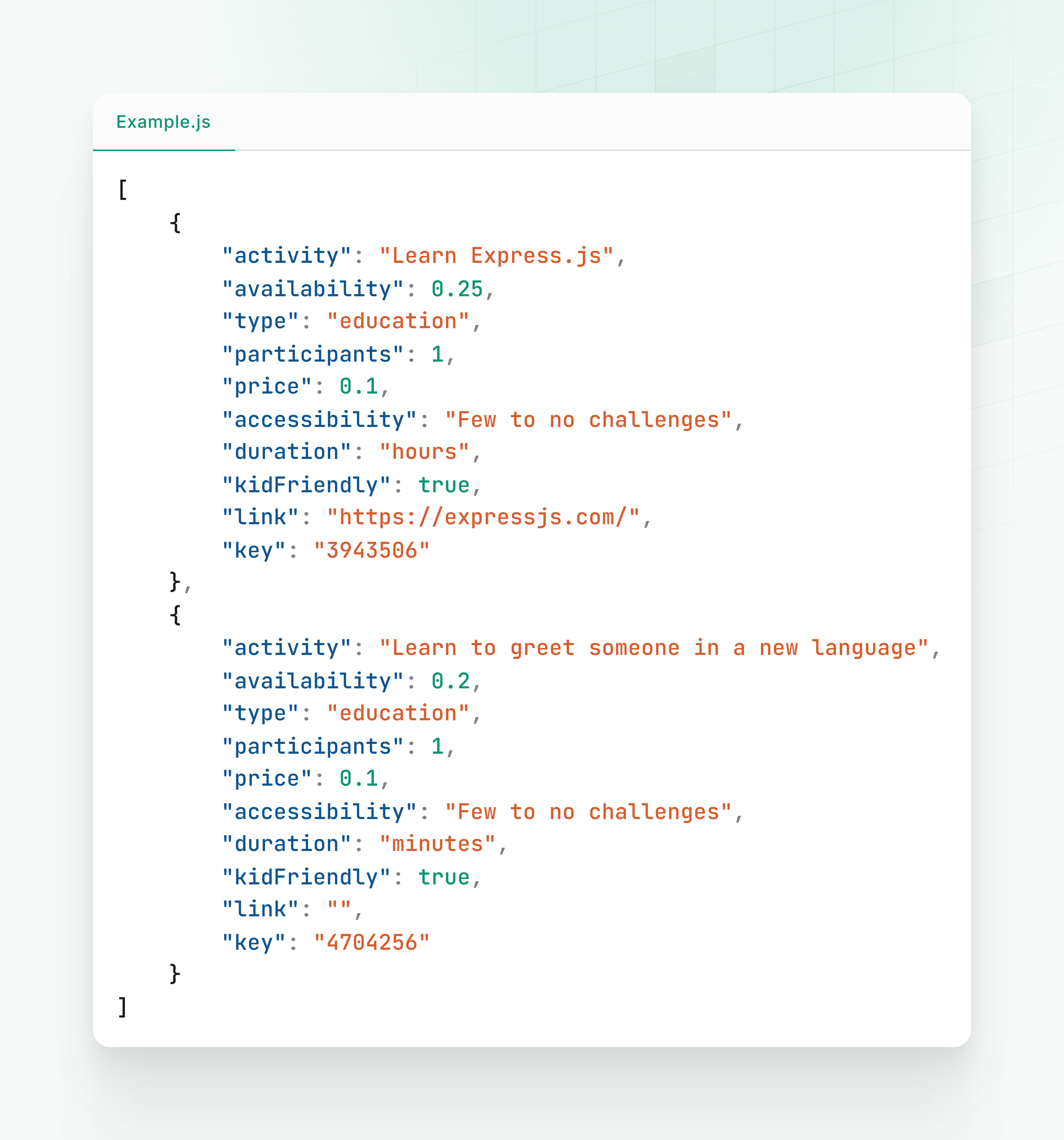
The response is a JSON array containing one or more activity objects that match the specified filters. Each object in the array has the following fields:
| Field | Type | Description |
|---|---|---|
activity |
string | A string representing the suggested activity |
availability |
number | A value between 0.0 and 1.0 indicating how accessible the activity is |
type |
string | The category of the activity |
participants |
number | The number of people required for the activity |
price |
number | A numeric value between 0.0 and 1.0, where 0.0 is free |
accessibility |
string | A clear-language description of the activity’s accessibility |
duration |
string | The expected time required for the activity |
kidFriendly |
boolean | A boolean value (true or false) indicating if the activity is suitable for children |
link |
string | A URL for more information, if available |
key |
string | A unique identifier for the activity |
Example Response
Document Version: 1.0 • Last Updated: Oct,2025 • Maintained by Sarah Amalia